
Does Gear Really Matter?
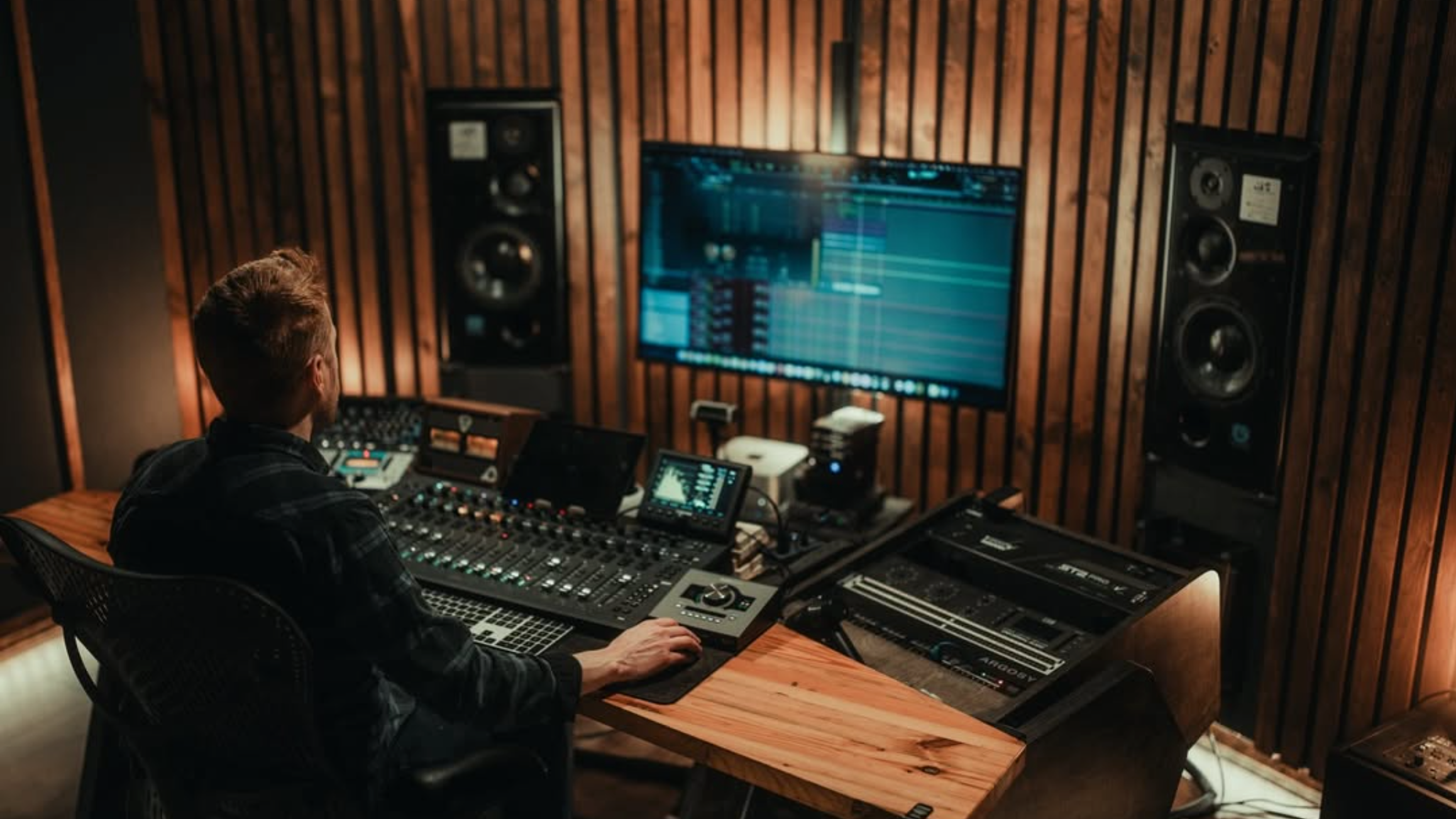
Does Gear Really Matter for Music Production?
Gear doesn't make you a better producer—skill does. The most effective approach is to master the fundamentals with a minimal, reliable setup before chasing expensive equipment that rarely improves your results. To break it down further - Master your fundamental skills with the gear you already have. Stop searching for the golden ticket.
Whether you are cutting your first demo, setting up a vocal booth, or diving into mastering, here is the collective wisdom on choosing gear that moves the needle.
Why Do We Fall Into the Gear Trap?
Starting out in music production and audio engineering often triggers a relentless obsession with gear. Fresh off the floor of the North American Music Merchants (NAMM) convention, the latest conversation on Gain Stage Community dives straight into the gear trap: why we fall for it, what is actually necessary when you are starting over, and how to build a setup that serves your workflow rather than draining your wallet.
Understanding the Psychology Behind Gear Acquisition
Gear is exciting because it represents potential. Knobs, faders, outboard racks, and polished plugins all make us feel closer to the records that inspired us. But there is a hidden pitfall in chasing the gear your heroes use:
-
The Legend vs. Reality: Many iconic pieces of gear,like the ubiquitous Yamaha NS-10 monitors—were used out of necessity or specific workflow demands, not because they sounded inherently magical.
-
The "Why" Process: Before acquiring new gear, ask what specific problem it solves. Buying a piece of hardware simply because a favorite engineer uses it can derail your learning process with unnecessary complexity.
-
Environment Matters: A high-end tube microphone or ultra-sensitive large diaphragm condenser will sound terrible in an untreated room with bad wiring and background noise. Match your gear to your working space.
What Is the Best Starter Kit for Music Production?
If you had to wipe the slate clean and pick only a few core essentials to start recording, mixing, or mastering, where should the money go?
|
Core Category |
Recommendations & Strategy |
Why It Matters |
|
1. Primary Computer & DAW |
The fastest, most reliable computer you can afford (MacBook Pro/Air or solid PC) paired with any major DAW (Digital Audio Workstation). |
Your processing power dictates your buffer size and how many tracks/plugins you can run before hitting a performance wall. |
|
2. Audio Interface |
Universal Audio (Apollo series) for built-in DSP (Digital Signal Processing) processing, or accessible entries like Focusrite / Audient. |
Acts as your central hub, monitor controller, headphone amp, and digital converter. |
|
3. Capture (Microphone) |
A versatile, high-quality microphone (or classic dynamic workhorses like the Shure SM57 / SM58). |
You cannot EQ away the harshness of a cheap, low-quality microphone capsule. A great mic through an affordable interface beats a poor mic through a $2,000 interface. |
|
4. Monitoring / Delivery |
High-resolution headphones (e.g., Audeze LCD series, Sennheiser HD600) or trusted studio monitors (e.g., ATC). |
You cannot fix what you cannot hear. High-grade headphones bypass bad room acoustics entirely when starting out. |
How Do Workflow Tools Improve Your Mixes Faster Than New Gear?
A common misconception is that a new piece of gear will automatically make your mixes sound better. In practice, the tools that transform your work most are often the ones that improve your process.
-
Tactile Control: A physical control surface or fader bank might not change the underlying digital audio, but taking your hands off the mouse and using your ears instead of your eyes changes how you balance a track.
-
Tracking with Intention: Recording through DSP hardware or analog emulation on the way in forces decision-making early, speeding up the mix process down the line.
-
Trusting What You Hear: Upgrading your monitoring environment or headphones gives you immediate feedback, eliminating the guesswork of mix translation across different playback systems.
Can You Develop a Signature Sound With Minimal Equipment?
Finding your signature sound does not require a multi-thousand-dollar vintage console. Some of the most iconic sounds in music history came from modified projector preamps, thrift store finds, circuit-bent toys, or simple setup limitations.
Focus on mastering the tools you have, understanding why you need your next piece of gear, and building a workflow that keeps you creative.
Frequently Asked Questions About Studio Gear
Do I need an expensive audio interface to start producing music?
No. An entry-level interface like those from Focusrite or Audient provides sufficient quality for beginners. The critical factor is matching the interface to your microphone and monitoring needs rather than paying for features you will not use.
What is the single most important piece of studio gear?
Your monitoring solution, whether high-quality headphones or studio monitors, matters most. You cannot fix problems you cannot hear. Good headphones allow you to work effectively even in untreated rooms.
Should I buy hardware or stick to software plugins?
Software plugins offer greater flexibility and value for beginners. Hardware becomes worthwhile when you need tactile control or specific analog character that software cannot replicate. Start with software and invest in hardware only when you identify a specific workflow limitation.
How much should I spend on a first studio microphone?
A mid-range microphone like the Shure SM57 or SM7B provides professional results at accessible price points. Do not compromise on microphone quality for the sake of saving money, a great microphone through an affordable interface consistently outperforms a poor microphone through an expensive one.
What is a DAW and do I need a specific one?
A DAW (Digital Audio Workstation) is the software application used to record, edit, and produce music. Any major DAW works for beginners. The specific brand matters less than learning the principles of arrangement, mixing, and sound design.
Is an audio interface necessary for recording?
Yes. An audio interface converts analog signals from microphones and instruments into digital data your computer can process. It also provides clean preamplification, low-latency monitoring, and reliable connectivity that built-in computer sound cards cannot match.
If you would like to learn more or enjoy conversations like this, goto www.gainstagecommunity.com.
0 comments